
Integration
WELCOME
Integration

Integration
Discover the integration possibilities of WELCOME. Whether you want to effortlessly invite your visitors with Outlook, map registration processes via forms on your website, or seamlessly link your user management with WELCOME and single sign-on – with the WELCOME API and web services, you retain control.
Outlook
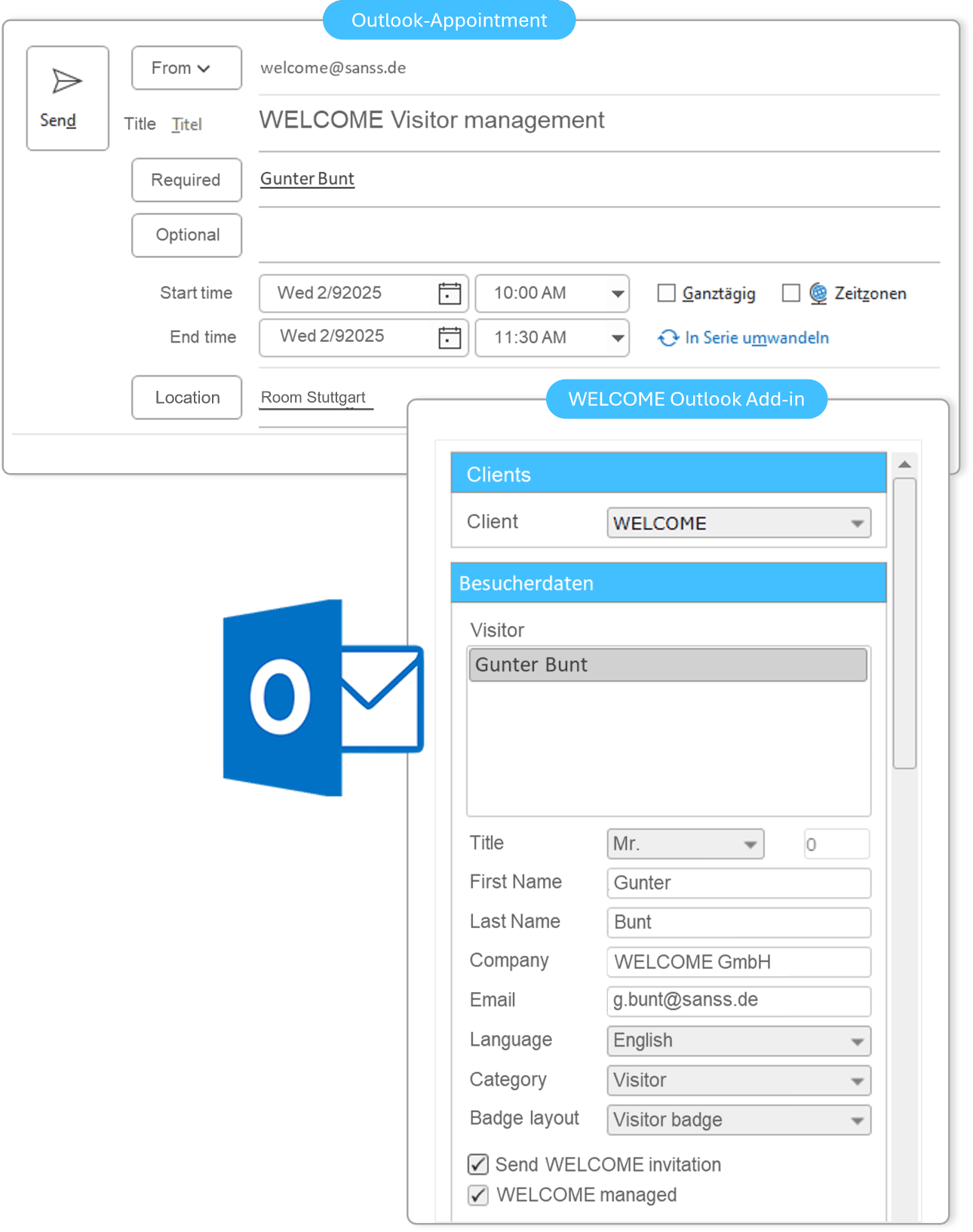
Invite visitors in your familiar Outlook environment and automatically create a visitor entry in WELCOME.
Active Directory
With the help of AzureAD and ADFS integration, your users can log in to WELCOME with their AD account.
API
The API interface gives you access to visitor and appointment data, allowing you to connect other systems.
Integration options
Outlook
Outlook Add-in
Your employees work in their familiar Outlook environment. Visitors are invited directly from the Outlook appointment and added to WELCOME. This minimizes training requirements and eliminates the need for your users to switch applications.
Users work in a familiar environment.
Minimal training requirements
Simple and quick
User acceptance
Active Directory

Azure AD, ADFS integration, Entra ID – synchronize user accounts
With the help of Azure AD, ADFS and EntraID integration , your users can log in to WELCOME using their AD account. This eliminates the need to create separate user accounts in the WELCOME user administration.
If you assign specific permissions to AD groups in WELCOME, users will automatically have corresponding permissions in WELCOME via their group membership.
Single Sign-on
Simple and centralized administration
AD password policies also apply to Welcome
API
API connection
WELCOME offers a REST API interface. Services are accessed via URL/URI. This API provides functions related to visitors and appointments. For example, it’s possible to retrieve a list of all visitors.
Even more complex queries, such as which visitors checked in during a specific period and belong to a certain visitor group, can be analyzed.
Efficient data exchange
Reading visitor information
Integration of external IT systems such as WLAN, access control, and others.

WIFI
WiFi voucher
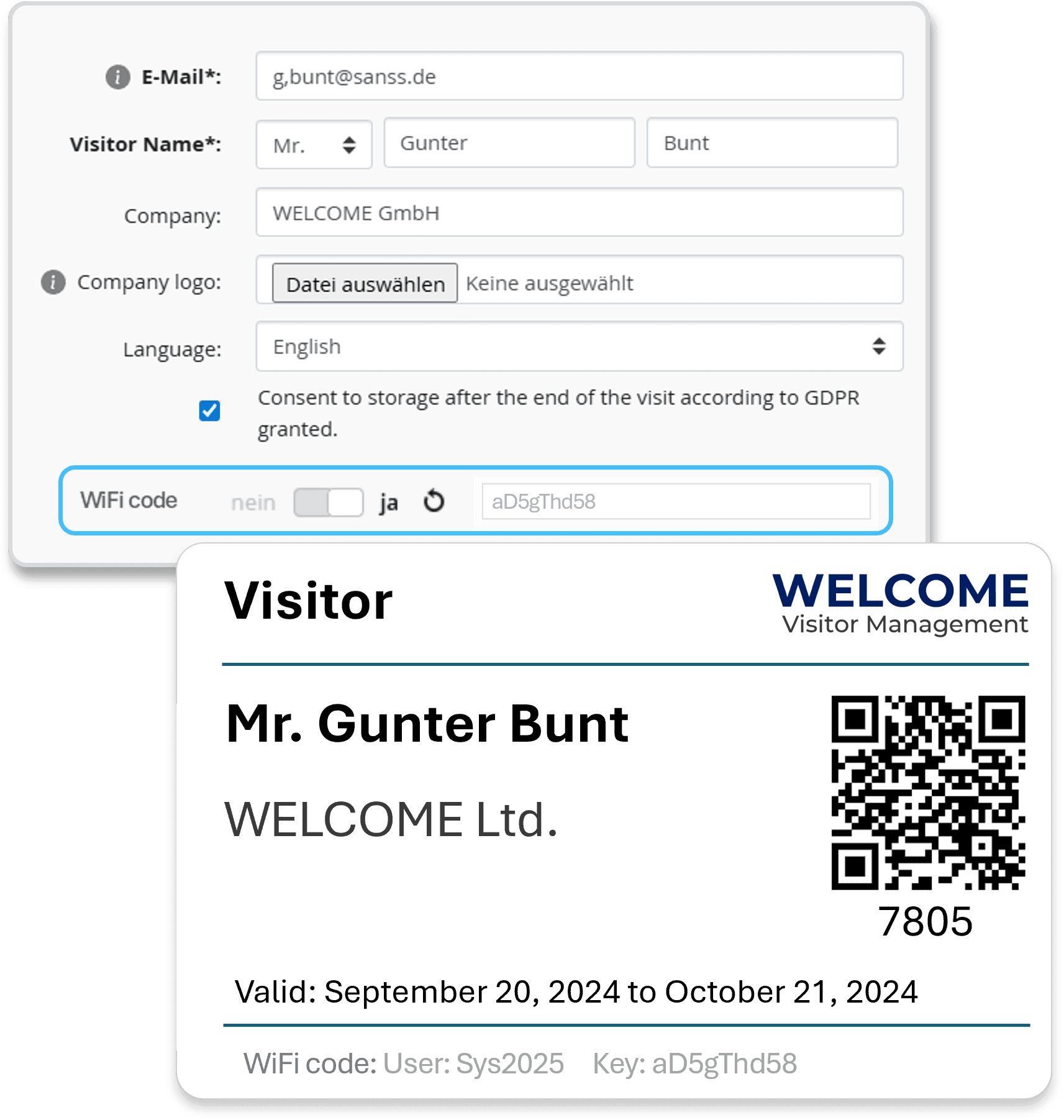
Provide your visitors with access to your guest WiFi.
By connecting your WiFi voucher software to WELCOME, you generate individual access for your visitors. This is done via API access.
Alternatively you can import an Excel voucher list with WiFi secrets generated from your WiFi system. Each visitor can be assigned a code from this list, which you can send in the invitation email or print in the visitor badge. WELCOME will send a reminder to administrators to update the list.
Assign the WiFi code directly to WELCOME
WiFi voucher software connection
Alternatively, uploading Voucher Lists is possible.